
How to Create an Instagram QR Code (Free, in Under 2 Minutes)
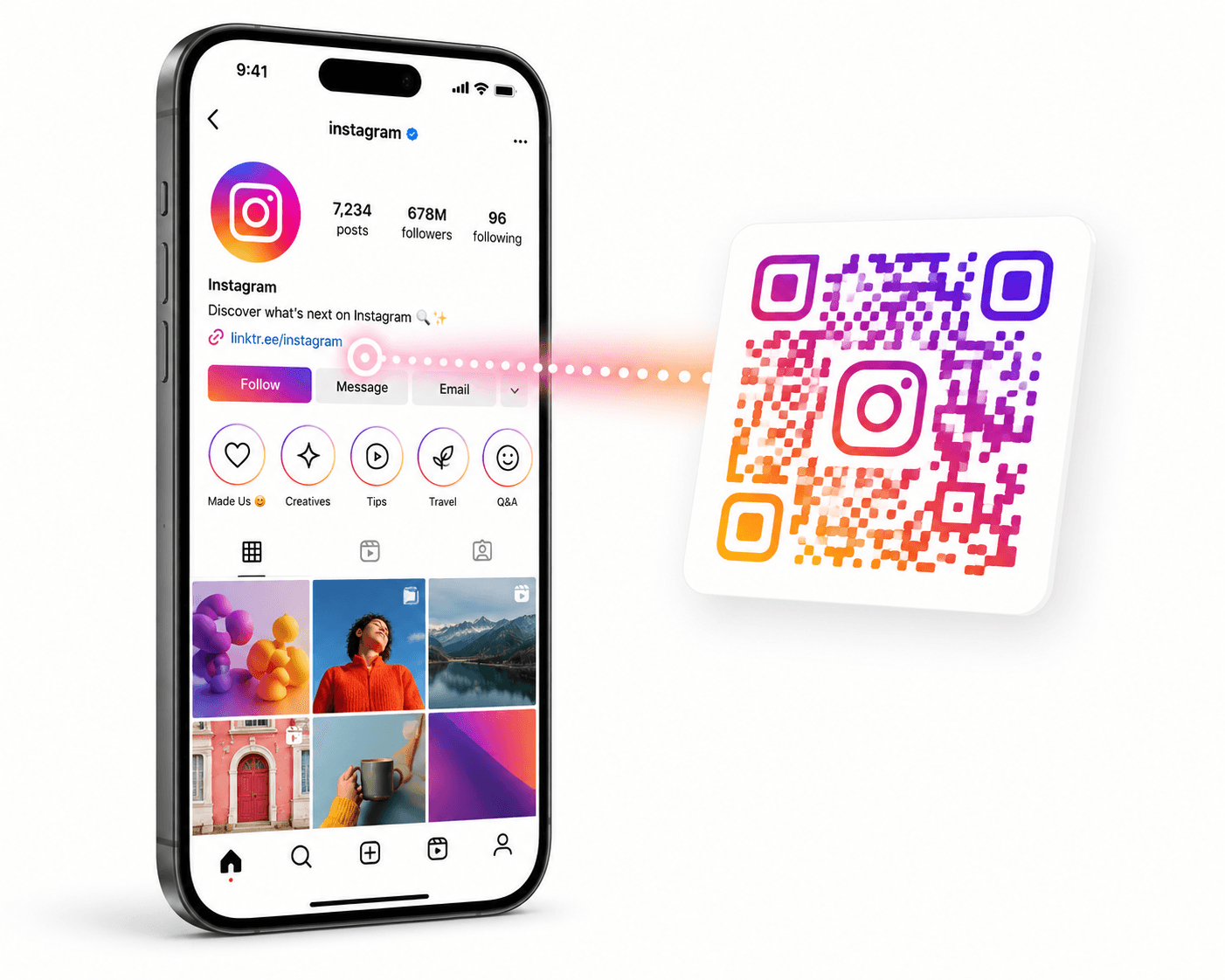
Stop asking people to 'search for you on Instagram.' Give them a QR code that opens your profile in one scan.

QR Junction Team
Experts in QR code technology and digital solutions
Every time someone asks 'what's your Instagram?' you're losing them. They'll type your name wrong, find the wrong account, or just forget entirely by the time they get home.
An Instagram QR code eliminates that friction completely. One scan from any phone camera, and they're on your profile — ready to follow.
This guide shows you how to create one, where to use it, and what most people get wrong when they do.
Why an Instagram QR Code Is Worth Having
Instagram has its own built-in QR code (called a 'Nametag') but it has a major limitation — it only works inside the Instagram app. The person scanning it needs to already have Instagram open. That's an extra step that kills conversions.
A proper Instagram QR code created with a generator like QRJunction points directly to your profile URL: instagram.com/yourusername. This opens in any camera app, any browser, on any device. No Instagram app required to scan it.
For physical marketing — business cards, packaging, posters, pop-up booths, restaurant tables — this difference matters enormously.
How to Create Your Instagram QR Code (Step-by-Step)
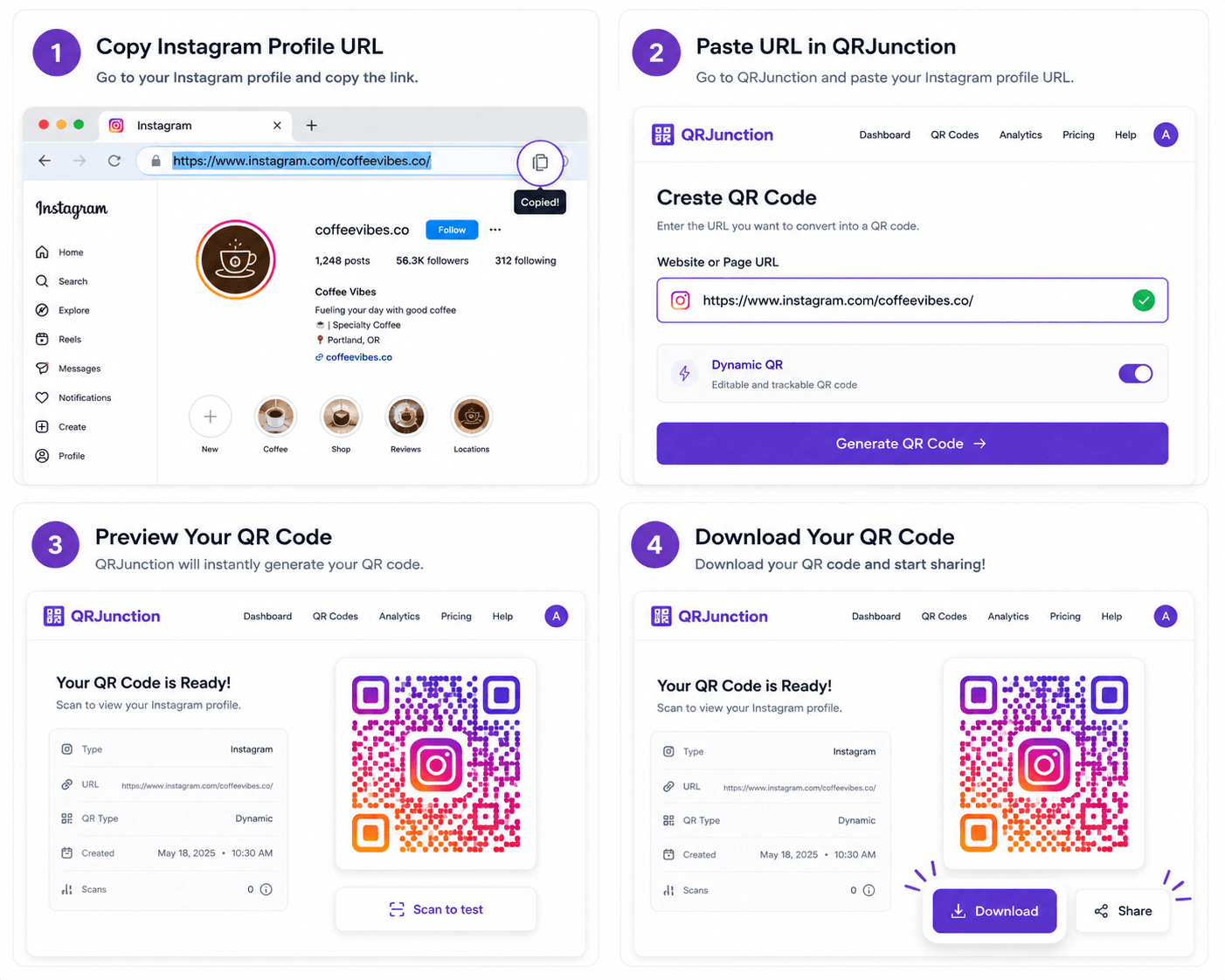
This takes less than two minutes. You don't need an account to generate a basic code.
- Step 1: Go to your Instagram profile and copy the full URL — it will look like instagram.com/yourusername or open the app, go to your profile, tap the three lines, and copy the profile link
- Step 2: Open QRJunction.in and select the URL QR code option
- Step 3: Paste your Instagram profile URL into the input field
- Step 4: Customize the QR code — add your brand colors, a logo, or your Instagram icon in the center
- Step 5: Choose dynamic if you want scan analytics (recommended for businesses)
- Step 6: Download in PNG for digital use or SVG for print — SVG scales without quality loss
- Step 7: Test it with your phone camera before using it anywhere
Where to Actually Use Your Instagram QR Code
The whole point is to close the gap between someone seeing your brand offline and them following you online. Here are the highest-impact placements:
- Business cards — on the back, next to your Instagram handle so it's both scannable and readable
- Product packaging — especially for D2C brands where the buyer has your product in hand
- Restaurant table cards and menus — 'Follow us for daily specials'
- Event booths and pop-ups — give people something to do while they're standing at your table
- Storefront windows and wall displays — passersby can scan without entering
- Thank you cards inside orders — one of the highest-converting touchpoints for e-commerce brands
- Email signatures and newsletters — surprisingly effective for converting readers into followers
What Actually Makes an Instagram QR Code Work
The QR code is just the delivery mechanism. What converts the scan into a follow is the context around it.
Add a clear call-to-action next to the QR code. 'Scan to follow us' is fine but weak. 'Scan for exclusive offers' or 'Follow us for behind-the-scenes content' gives them a reason. The more specific the reason, the higher the follow rate.
Make the QR code big enough to scan from a comfortable distance. A 2.5cm QR code works fine on a business card. On a poster seen from 3 feet away, it needs to be at least 5-6cm.
Use a dynamic QR code so you can track how many people are scanning it from each location. This tells you which placements are actually working — and which ones you should stop using.
Instagram's Built-In QR vs QRJunction: What's the Difference?
Instagram's native Nametag is convenient but limited. It can only be scanned from within the Instagram app — which means you're only converting people who already have Instagram open.
A QR code from QRJunction works with any camera app on any device. It opens the profile URL in a browser or triggers the Instagram app automatically if installed. No extra steps. No app required to scan.
Additionally, QRJunction's dynamic QR codes give you scan analytics — something Instagram's native tool doesn't offer. You can see total scans, scan locations, device types, and time-based trends. For any business running a real marketing operation, this data is invaluable.
Stop Making People Type Your Handle
Every time you tell someone your Instagram handle and they have to type it manually, you're losing a percentage of them. Some will misspell it. Some will forget. Some will just not bother.
An Instagram QR code removes every one of those failure points. One scan. Profile opens. They follow or they don't — but at least they got there.
Create yours in two minutes. Put it everywhere your brand shows up in the physical world. Track the scans. Double down on what works.
Create Your Instagram QR Code Free
Create custom vector patterns, integrate dynamic redirection endpoints, and view details.