
QR Codes for Small Businesses: 10 Uses That Actually Work
QR codes aren't just for restaurant menus. For small businesses, they're one of the cheapest and most measurable marketing tools available — if you use them correctly.

QR Junction Team
Experts in QR code technology and digital solutions
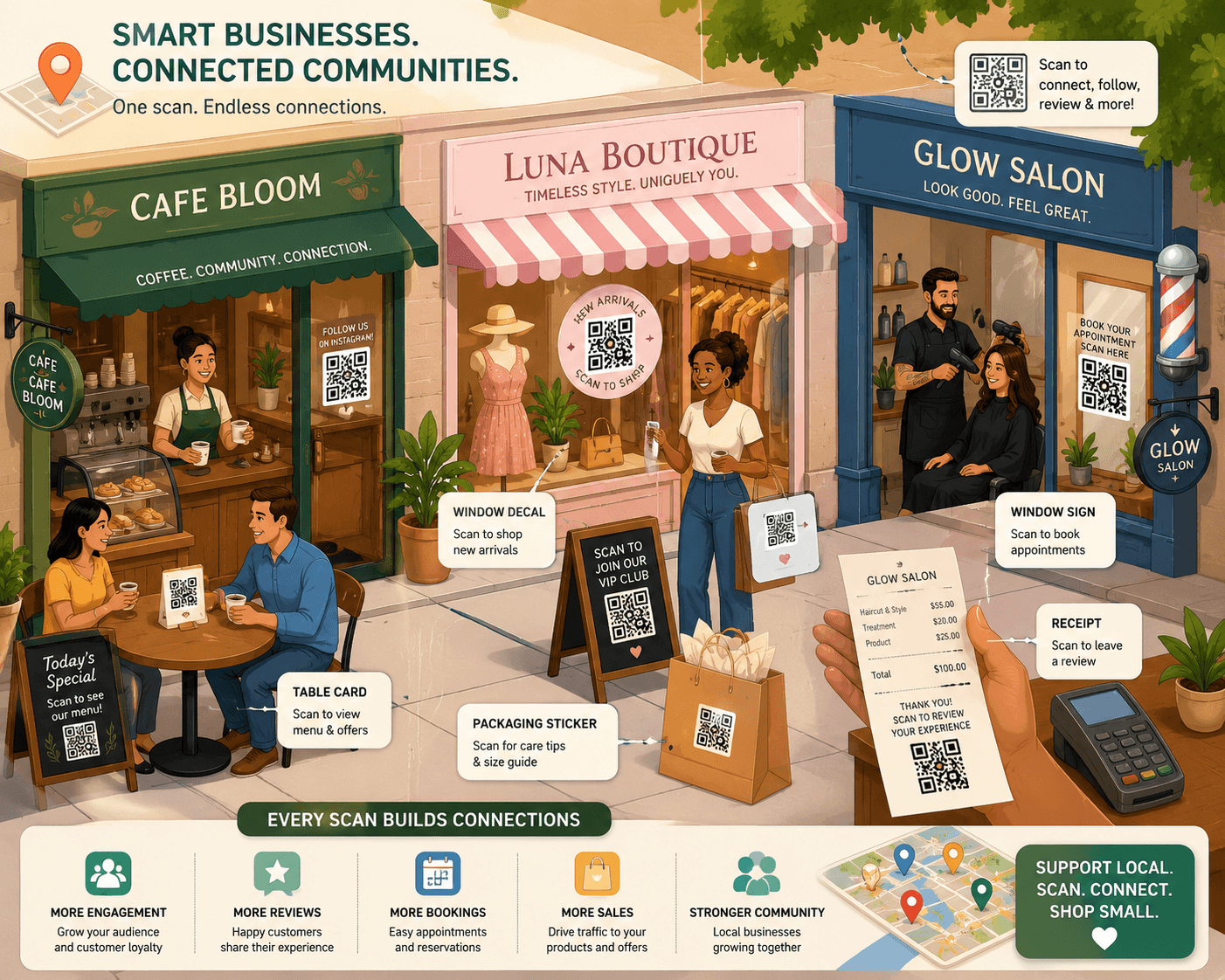
Small businesses don't have big marketing budgets. What they have is physical presence — a shop, a booth, packaging, receipts, business cards, tables, walls. QR codes turn every one of those physical touchpoints into a digital connection.
The businesses that use them well aren't just adding QR codes to their menu. They're using them to collect Google reviews, grow their Instagram following, offer loyalty discounts, share WiFi passwords, and track which marketing materials are actually driving engagement.
This guide covers ten specific, practical uses — not theoretical ones. Each use case includes what to link to, where to place the code, and what result to expect.
1. Get More Google Reviews — Automatically
Google reviews directly impact your local search ranking. More reviews, higher rating, more visibility on Google Maps. The ROI on getting even ten more reviews per month is significant for most local businesses.
Create a dynamic QR code that links directly to your Google review submission form (not your Maps listing — the direct review form). Place it on your receipt, at the checkout counter, and on table cards.
Add a line that does the work: 'Enjoyed your visit? Scan to leave us a Google review — it takes 30 seconds and means everything to us.' The specificity about time removes the friction of the unknown.
2. Digital Menus That Never Go Out of Date
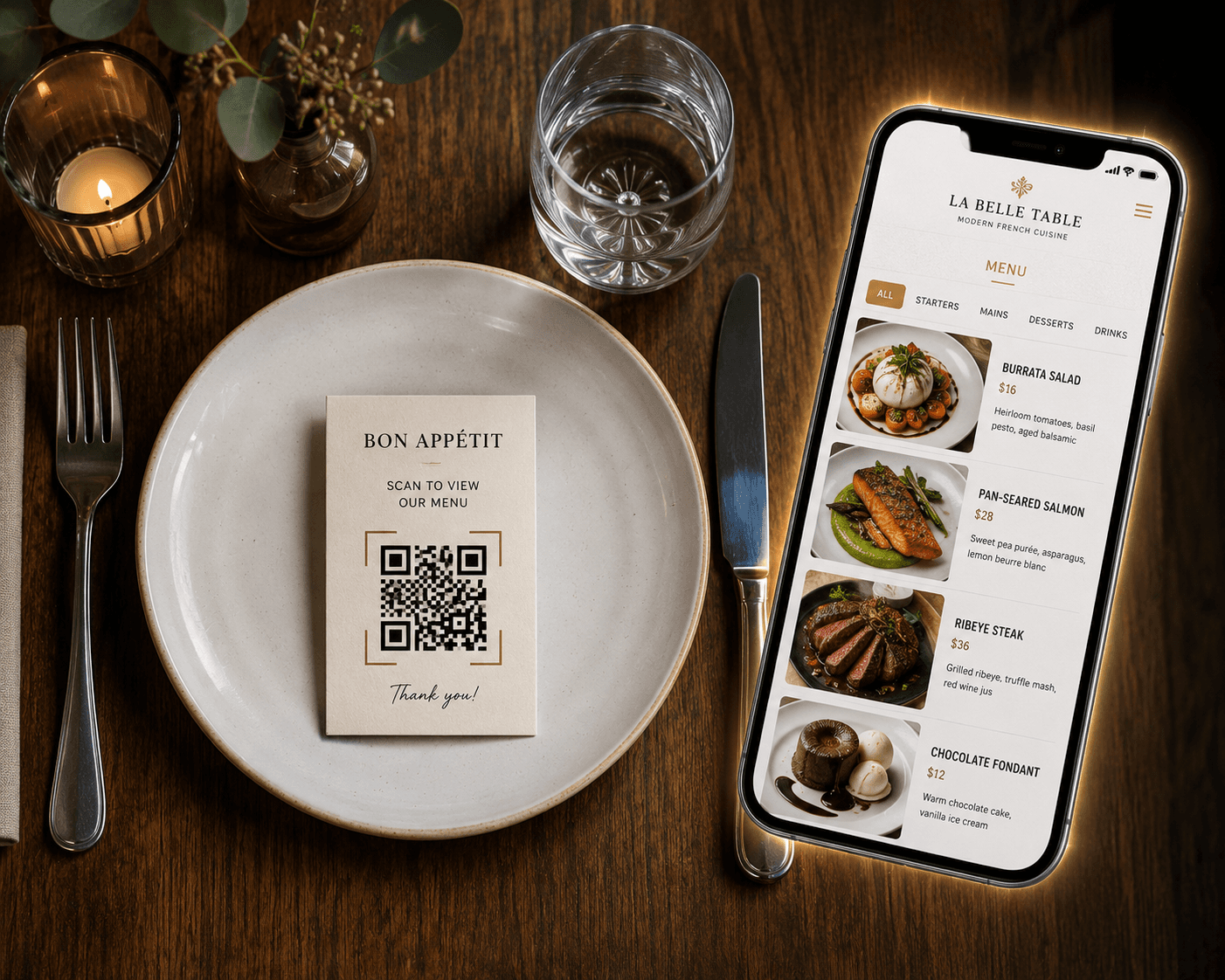
Printed menus are expensive to reprint. Prices change. Items sell out. Seasonal dishes rotate. A QR code linking to a digital menu solves all of this permanently.
Update your menu digitally anytime. Every QR code on every table automatically shows the latest version — no reprinting, no crossed-out items, no laminated sheets that look three years old.
For food businesses, this also improves the customer experience: searchable menus, photos of dishes, allergen information, and portion details are all easier to present digitally than on a folded paper menu.
3. Grow Your Social Following from Physical Touchpoints
Every customer interaction is a chance to convert a one-time buyer into a long-term follower. A QR code on your packaging, receipts, or store display that links to your Instagram or Facebook profile can grow your audience passively — without running ads.
The key is the call-to-action. 'Follow us on Instagram for weekly offers' or 'Scan to see new arrivals first' gives them a specific reason to follow. Generic 'follow us' doesn't convert as well.
For businesses with strong visual identities — food, fashion, home décor, beauty — an Instagram following built this way is genuinely valuable. These are warm leads who already like your product.
4. WiFi Password Sharing Without the Awkward Conversation
Every café, salon, waiting room, and co-working space gets asked for the WiFi password multiple times a day. A QR code on the table or counter that connects customers to your WiFi automatically eliminates this entirely.
This is one of the few cases where a static WiFi QR code is appropriate — WiFi passwords rarely change. Create a WiFi QR code once, print it, and it works indefinitely.
Small detail, but customers notice when a business makes their visit more convenient. It reflects well on the business.
5. Exclusive Offers and Discount Codes
QR codes are an effective way to deliver exclusive offers to in-store customers — creating a reason to scan that goes beyond convenience.
A QR code on the counter or checkout area that reveals a discount code, a free gift with next purchase, or early access to a sale gives customers an immediate, tangible reason to interact with your brand digitally.
With a dynamic QR code, you can rotate the offer behind the same QR code without printing anything new. Change the destination from a 10% off code to a seasonal bundle offer to a loyalty signup page — all without touching the printed code.
6. Collect Leads from Walk-In Customers
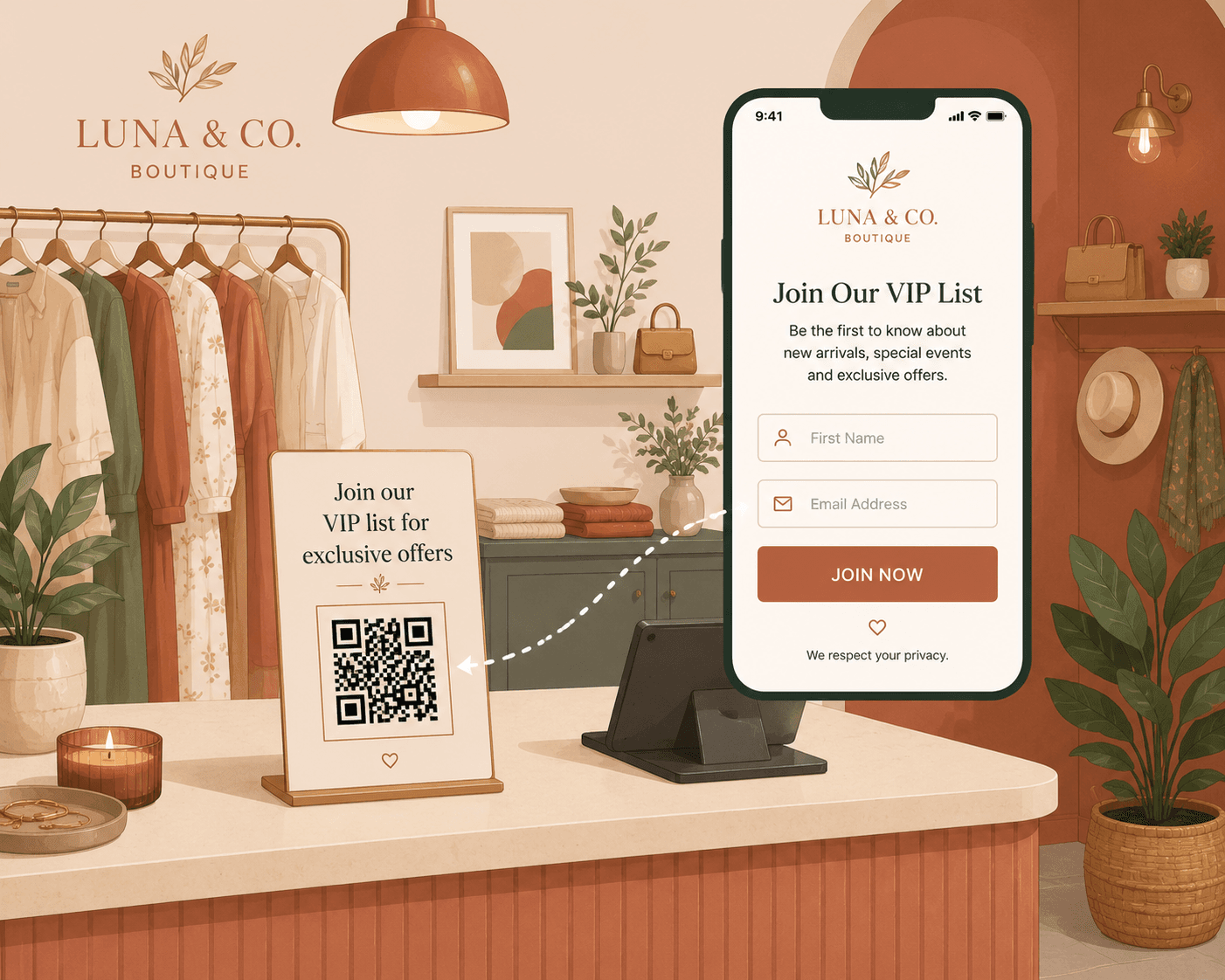
Most small businesses have no system for capturing the contact information of people who walk in, look around, and leave without buying. That's a missed list-building opportunity.
A QR code linked to a simple sign-up form — 'Join our list for exclusive deals and new arrivals' — placed at the entrance or checkout lets you capture email addresses passively.
For service businesses like salons, gyms, and clinics, a QR code linked to an appointment booking form converts interested walk-ins into booked appointments immediately rather than losing them to indecision.
7. Instant Payment QR Codes
For markets, pop-ups, food stalls, and any situation without a card reader — a payment QR code lets customers pay instantly via UPI, PayPal, or any payment platform that supports QR-based transfers.
This is standard practice for street vendors and market stalls in many markets but still underused in more established small businesses. A laminated payment QR code on the counter removes the 'do you take card?' friction entirely.
Use a static QR code for this — your payment details don't change, and you don't need tracking data on payment transactions.
8. Product Information and Instructions
Physical product packaging has limited space. A QR code on the box or label can link to a full product information page: detailed usage instructions, video tutorials, warranty registration, or FAQs.
For artisan products, a QR code linking to the story behind the product — the maker, the ingredients, the process — adds genuine perceived value and brand depth that a one-line description on the label can never achieve.
This is also useful for products that require setup or have a learning curve. Instead of cramming a manual into the box, a QR code links to a video walkthrough.
9. Events, Announcements, and Limited-Time Campaigns
Running a seasonal sale? Hosting a community event? Launching a new product? A QR code on a printed poster or flyer that links to the event details page keeps your offline marketing connected to your latest information.
This is precisely the use case where static QR codes fail and dynamic QR codes shine. Print the flyer once with the QR code. Update the destination page as details change. When the event is over, redirect the code to your newsletter signup or next event.
The flyer keeps working even after the event it was printed for has passed.
10. Track Which Marketing Materials Are Actually Working
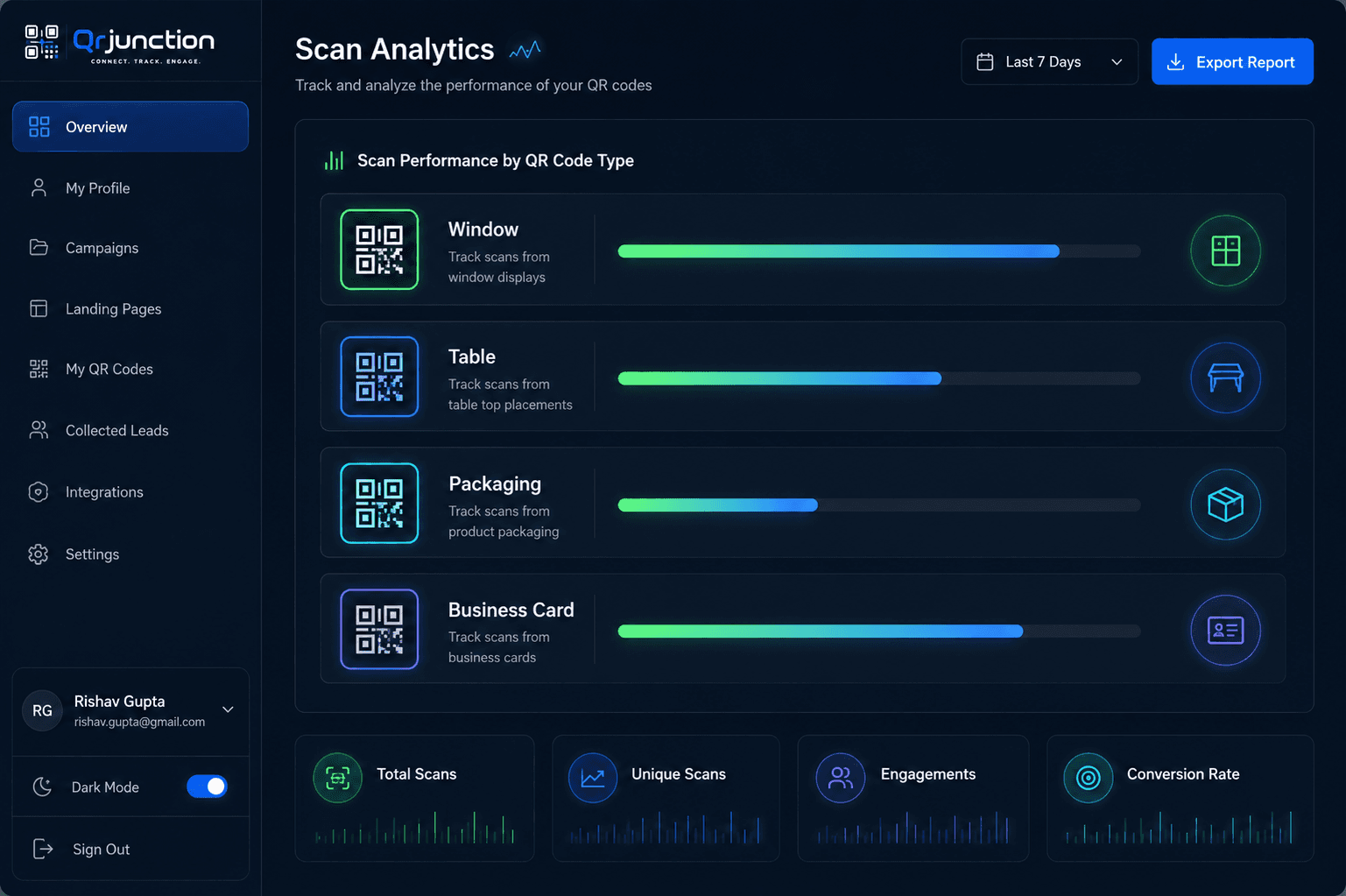
This is the use case that separates businesses using QR codes tactically from businesses using them systematically.
Create a separate dynamic QR code for each marketing channel — one for your window display, one for your table cards, one for your packaging, one for your business cards. All codes link to the same destination. But in your QRJunction dashboard, you can see exactly how many scans came from each source.
This tells you exactly where your customers are engaging with your brand. Over time, it shows you which physical touchpoints are worth the real estate and investment — and which ones you can stop maintaining.
For a small business with limited marketing budget, this kind of attribution data is genuinely competitive intelligence.
Where to Start: The 3-QR-Code Small Business Setup
If you're new to QR codes for your business, don't try to implement all ten use cases at once. Start with the three highest-impact ones:
- Google Reviews QR code on your receipt and checkout counter — this builds your most valuable digital asset (review count and rating) passively
- Social media QR code on your packaging or storefront — converts happy customers into followers
- WiFi QR code if you have a physical location where customers wait — removes a daily friction point
Small Budget, Real Results
QR codes cost almost nothing to create and deploy. A printer, a lamination sleeve, and a QRJunction account give you a complete physical-to-digital marketing system.
The businesses that grow their reviews, social following, and email list fastest are not the ones spending the most on ads. They're the ones systematically converting every in-person interaction into a digital connection.
QR codes are how you do that at scale — without a big team, without a big budget, and without anyone needing to remember to ask.
Create Your Business QR Code Free
Create custom vector patterns, integrate dynamic redirection endpoints, and view details.