
Start WhatsApp Chats Instantly from Print
Allow customers to message your business immediately without the tedious hassle of saving your phone number into their address book first. Perfect for local businesses, support teams, and real estate.
Did you know?
In India, WhatsApp is the primary communication channel for over 500 million users. A WhatsApp QR code removes the friction of adding a contact, increasing inbound inquiries by up to 300%.
Loading generator engine...
How to Create a WHATSAPP QR Code
Enter Phone Number
Type your full phone number, ensuring you include the correct country code (e.g., 91 for India) without any spaces or the + symbol.
Write a Pre-filled Message
Add an optional pre-filled message that will automatically appear in the user's chat box when they scan the code.
Design Your QR Code
Select the WhatsApp green color, choose a pattern, and place the WhatsApp logo in the center of the code for instant brand recognition.
Test and Download
Always test the code with your own smartphone before downloading the high-quality image file for printing.
Manual Contact Saving vs QR Junction
| Feature | Typing Phone Number | WhatsApp QR Code |
|---|---|---|
| Steps Required | Copy number > Open Contacts > Save > Open WhatsApp > Search > Message | Scan > Message |
| Customer Drop-off | Extremely High | Near Zero |
| Context | Customer has to type everything | Message is already typed for them |
| Privacy | Must save contact first | Can message without saving |
Where to use your WHATSAPP QR Code
Local Kirana Stores & Delivery
Place a QR code on your flyers so customers can instantly send a pre-filled WhatsApp message like "Hi, I want to place a grocery order" for quick local deliveries.
Real Estate Signage & Brokers
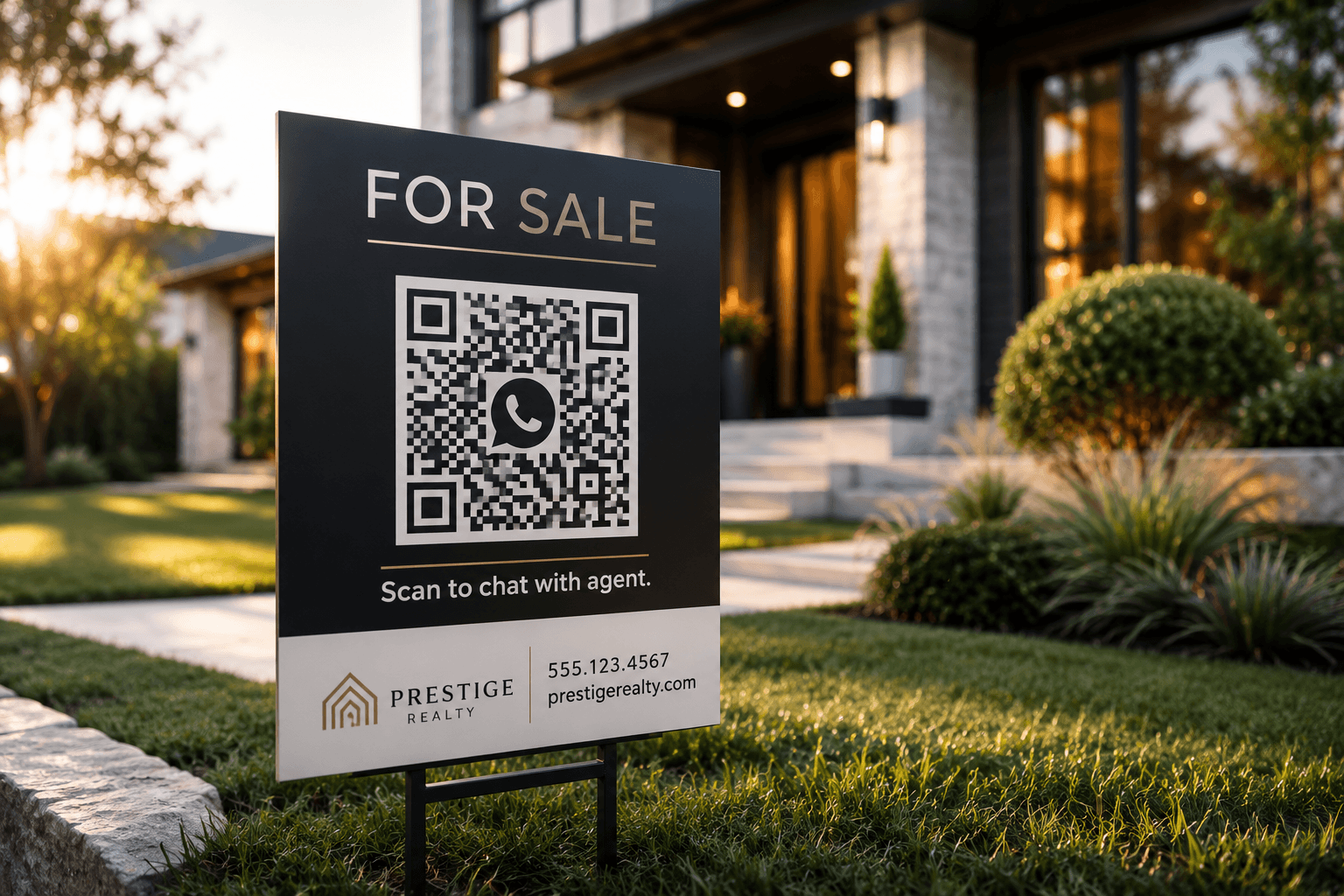
Let interested property buyers quickly message a real estate agent to request pricing or schedule a viewing directly from the physical "For Sale" sign on the front lawn.
Restaurant Takeout & Support
Allow hungry customers to bypass third-party delivery apps and place their takeout orders directly via a WhatsApp chat, saving you massive commission fees.
Why choose this format?
Pre-filled Icebreaker Messages
Set up a highly specific default message (e.g., "Hi, I am interested in property 123...") to break the ice and provide instant context for your sales agents when a lead comes in.
Bypass Contact Saving
Completely eliminates the incredibly tedious process of users needing to manually type and add you to their phone's address book before they can send their first message.
Dramatically Higher Conversions
Direct, instant messaging on an app they already trust significantly reduces lead drop-off rates compared to directing users to clunky, slow-loading mobile web forms.
Call-to-Action Examples that Convert
Never print a QR code without a reason to scan. Try these proven CTAs.
"Scan to Order on WhatsApp"
Ideal for local food delivery and retail shops.
"WhatsApp Support (24/7)"
Perfect for product packaging and user manuals.
"Chat with an Agent"
Great for real estate signs and car dealerships.
WhatsApp QR Code Printing Guidelines
Follow these rules to ensure your customers can reach you without frustration.
Clear Call to Action
Always write "Scan to WhatsApp us" next to the code. Don't assume people know what a generic QR code does.
Test the Country Code
A missing country code is the #1 reason WhatsApp QR codes fail. Double-check your number formatting before printing.
Keep it Scannable
Ensure the QR code is at least 3x3 cm on business cards and larger on flyers to ensure older smartphone cameras can read it quickly.
Frequently Asked Questions
Everything you need to know about generating and using whatsapp QR codes effectively.
How does the pre-filled custom message work?
You define a custom message during generation. When the user scans the code, their WhatsApp app opens with your number and that exact text already typed into their chat box, waiting for them to hit send.
Do I really need to include the country code?
Yes, this is critical. Always include the full international country code (like 91 for India, without the + symbol) to ensure the WhatsApp routing link works perfectly for users scanning globally.
Will this work for users on both iOS and Android?
Yes, WhatsApp deep-linking is universally supported and works flawlessly across all mobile operating systems that have the WhatsApp messenger installed.
Is it free to generate a WhatsApp QR code?
Yes, generating a WhatsApp QR code with a pre-filled message is completely free on QR Junction.