
How to Create a WhatsApp QR Code for Your Business
People will not type +91 and your ten digits while holding a parcel. Give them a square that opens the chat with the first line already written.

QR Junction Team
We build QR tools that restaurants actually print and use.
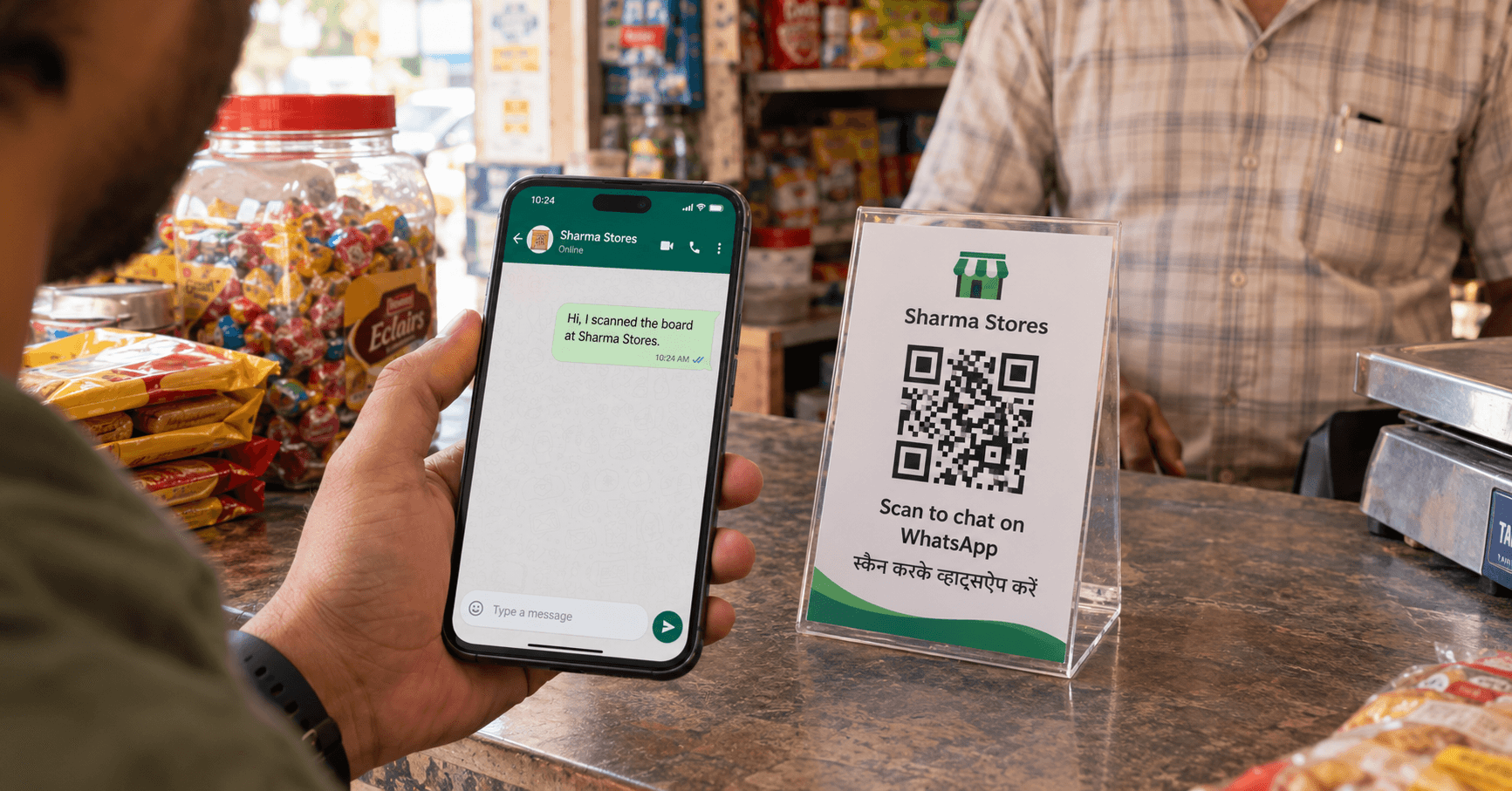
A sweet shop in Rajkot wrote the WhatsApp number on the glass in marker. Half the delivery orders still arrived as calls because people misread 8 as 0. The fix was not a bigger marker. It was a WhatsApp QR code on a 6-inch standee next to the cash tray.
Scan, chat opens, first message is already there, they hit send. That is the whole product. You can make one in the WhatsApp QR code generator without designing anything fancy.
WhatsApp’s own QR vs a camera-scan QR
WhatsApp Settings → QR code is handy inside the app. The person scanning usually needs WhatsApp already open, and they are in WhatsApp’s world, not the Camera app. Fine for two friends. Weak on a counter where someone is holding a phone with the camera already up.
A third-party WhatsApp QR encodes a link like https://wa.me/9198XXXXXXXX?text=.... Any camera can read it. WhatsApp opens if it is installed. The browser opens WhatsApp Web-ish otherwise. Same idea as the Instagram QR vs Nametag split: in-app codes are lazy, camera codes get strangers.
The number format people get wrong
wa.me wants country code + national number, digits only. Get this wrong and the chat opens to a stranger, or WhatsApp says the number is not on WhatsApp.
| You type | What happens |
|---|---|
| 9876543210 | Often treated as incomplete. Many tools assume India and prepend 91, but do not rely on that. |
| 919876543210 | Correct for an Indian mobile. |
| +91 98765 43210 | Strip plus and spaces before encoding. |
| 09876543210 | The leading zero is a landline habit. Drop it. |
Pre-filled messages that get a reply
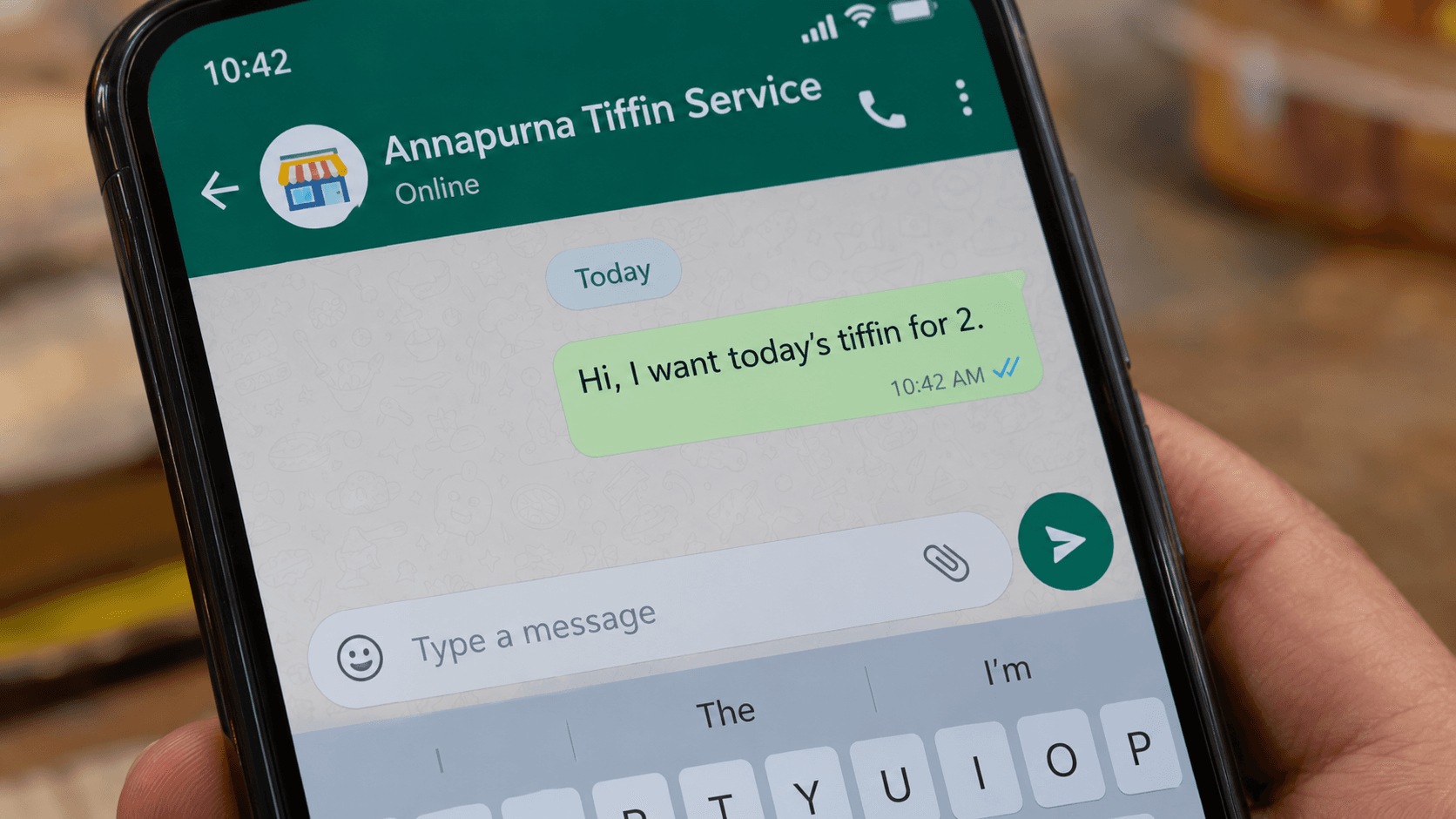
The text= query is optional. Use it. A blank chat makes people think, and thinking is where they leave.
Good first lines are boring and specific: “Hi, I scanned the board at Sharma Stores.” “Hi, I want today’s tiffin for 2.” “Hi, I have a question about the 4 pm slot.” Bad first lines sound like ads: “HEY I WANT OFFERS!!!!”
Keep it short. Long poetry turns into a wall of percent-encoding and a denser QR that scans worse from across the counter.
Create the WhatsApp QR code
Open the WhatsApp tab. Enter the international number. Paste the first message. Generate. Download SVG for print, PNG for your Instagram story.
- Step 1: Confirm the number opens a chat when you visit wa.me/91… in a browser — if that fails, the QR will fail.
- Step 2: Generate on QR Junction — use dynamic if the SIM might change or you want counts.
- Step 3: Put a WhatsApp-looking frame or label beside it — a naked black square on a counter gets treated like UPI and then nobody chats.
- Step 4: Test from a phone that does not have the business number saved — saved contacts skip the awkward first-message state you need to see.
Where a WhatsApp QR code actually converts
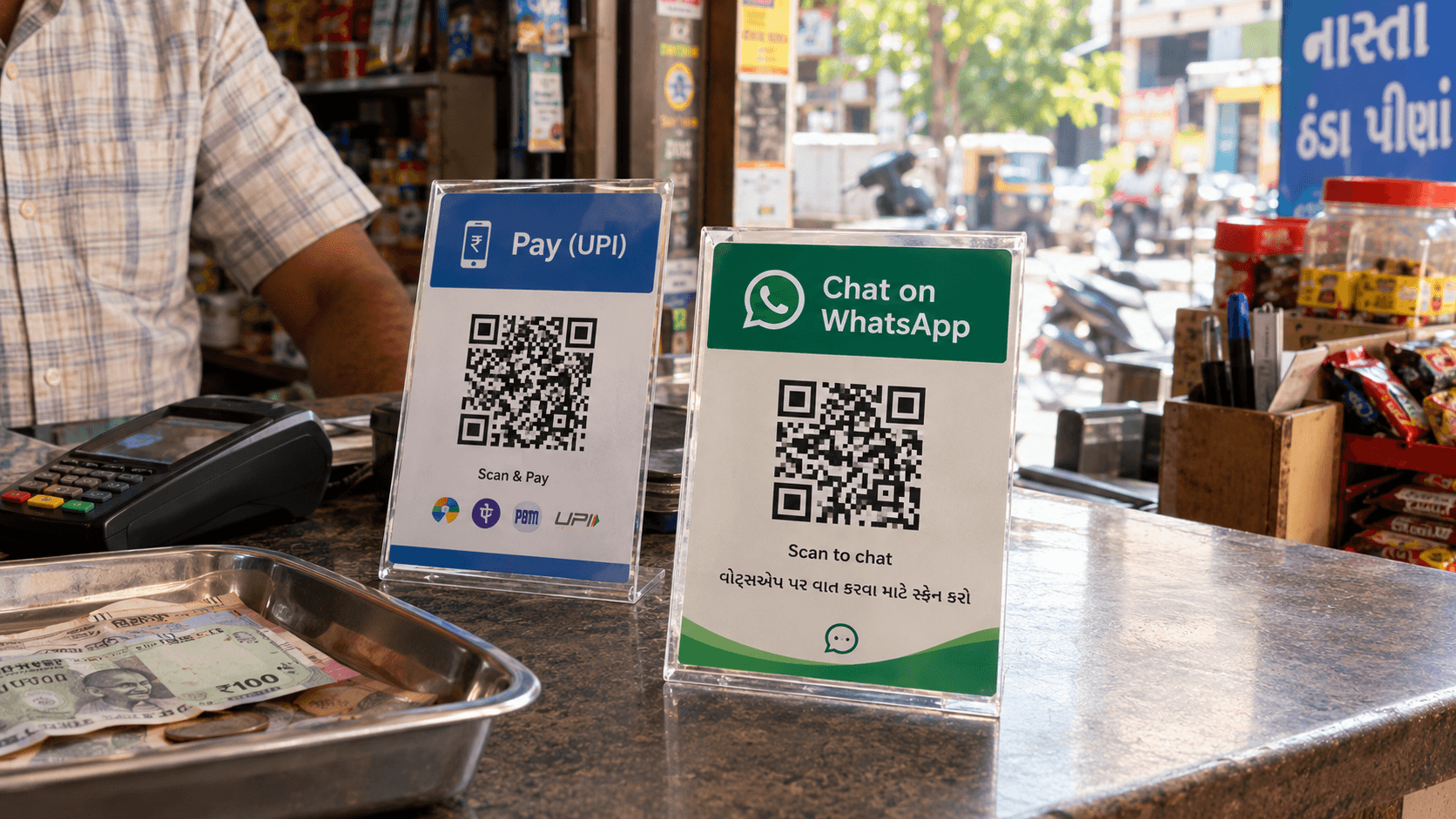
Counters, packaging, and visiting cards. Not the shutter after you have closed.
- Cash counter standee — next to UPI, clearly labelled Chat, not Pay.
- Takeaway box — “Scan to reorder.” Dynamic code, change the message for a festival thali.
- Visiting card — same job as a business card QR, but the destination is a chat, not a vCard.
- Instagram bio / stories — people already decided to talk; skip the “DM for price” dead end.
- Clinic or realtor board — pre-fill “I want to book a visit” so your inbox is not “hi” fifty times.
WhatsApp Business vs personal
The QR does not care which app you run. wa.me opens whatever WhatsApp is registered to that number. Labels, quick replies, and a catalogue live in WhatsApp Business. The scan only delivers the chat.
If you use a display name and a greeting in Business, set those inside WhatsApp. The QR will not print your shop name into the chat by itself unless you put it in the pre-filled text.
When the number changes
Static WhatsApp QRs die with the SIM. If you printed 200 boxes last Diwali and then switched to a staff phone, those boxes now message a retired number.
A dynamic QR still shows the old square and can point at the new wa.me. That is the difference, and it is the same reason Google review QRs should be dynamic: platform URLs move, humans reprint slowly.
One scan, one send, no marker on the glass
Put the correct 91 number in. Write a first line a tired person would actually send. Print a standee that says WhatsApp. Test from a stranger’s phone.
If the chat opens and the message is sitting there, you are done. Everything after that is how fast you reply.
Frequently asked questions
How do I create a WhatsApp QR code for my business?
Enter your number as 91 plus ten digits, add an optional first message, and generate the code with a WhatsApp QR code generator. Print it with a clear “Scan to chat” label.
Does this work with WhatsApp Business or only personal WhatsApp?
Both. The QR opens a chat to the number. WhatsApp Business features (greeting, catalogue, labels) are configured in the app, not in the QR.
Can I pre-fill a WhatsApp message in the QR code?
Yes. The link uses a text= parameter. Keep it short so the pattern stays easy to scan from a counter.
Do I need the country code?
Yes. Indian numbers should start with 91. A bare ten-digit number is a common reason the chat fails or opens the wrong contact.
Why use this instead of WhatsApp’s built-in QR?
The in-app code is awkward for people using the Camera app. A wa.me QR works from any modern camera, which is how strangers at a counter actually scan.
Should a WhatsApp QR be static or dynamic?
Static if the number is permanent. Dynamic if you might change SIMs, run campaigns, or want scan counts per placement.
Related guides
How to Create an Instagram QR Code (Free, in Under 2 Minutes)
Stop spelling your handle. A camera-scan Instagram QR opens the profile. Instagram’s own Nametag only works if they already have the app open.
How to Create a Google Review QR Code for Your Business
Happy customers mean to review you. They do not. A QR on the bill opens the form while they still care.
QR Codes for Business Cards: The Complete Guide
The card is the handshake. The QR is the save-to-phone. Link it at something useful — vCard, LinkedIn, WhatsApp — and make it dynamic so a job change does not kill 200 prints.
Create your WhatsApp QR code
Create custom vector patterns, integrate dynamic redirection endpoints, and view details.