
Canva QR Code vs a Dedicated QR Code Generator
Canva is where the flyer lives. A QR generator is where the square should be born. Mix them in the wrong order and you print a Canva logo on a cafe tent. Help-centre copy checked 26 Oct 2026.

QR Junction Team
We build QR tools that restaurants actually print and use.
A florist in Bandra designed the whole wedding suite in Canva, including the QR. Guests scanned a Canva mark. Half of them opened Canva. The other half landed on a seating PDF that could not be updated when table 12 moved. The suite was pretty. The square was the wrong product.
Canva QR code generator is two features now, and most “Canva vs QR code generator” posts still talk as if there is one button. We read Canva’s help centre and the dedicated-generator pattern on 26 October 2026. The useful split: Canva wins the layout. A dedicated tool wins the payload.
Canva has two QR tools. They are not interchangeable.
Static QR in Canva: you paste a URL, you get a frozen code, colour and margin options, no Canva logo. Help copy treats it like any other static file — change the link, generate again. Fine inside a design whose destination is finished.
Dynamic QR in Canva: a separate app, powered in the background by a dynamic-QR vendor (Hovercode, per public write-ups in 2026). Destination can change after print. On Free, Pro, and Education the code carries a Canva logo in the centre. Removing that logo, seeing scan Insights, and setting expiry are Business / Enterprise / Nonprofit. Collaborators cannot edit the destination unless you turn that on at those tiers.
You cannot convert a static Canva code into a dynamic one later. Pick before you send the file to the printer.
The real limit: URL only
Neither Canva tool makes a WIFI: payload, a wa.me chat, a vCard, or a restaurant menu page. They put https://… in a square. That is a subset of what a dedicated QR code generator is for.
A salon that wants “scan to join WiFi” cannot do that honestly in Canva. They can make a URL that displays the password in 48 pt type, which is a webpage of a password, not a join sheet. Same for WhatsApp: a URL to wa.me works if you paste it. A dedicated WhatsApp QR builds the number and pre-filled text without you memorising query strings.
| Need | Canva static | Canva dynamic | Dedicated generator |
|---|---|---|---|
| Flyer already in Canva, final URL | Yes — no logo | Overkill, and a logo on Free/Pro | Optional. SVG still drops in cleanly. |
| Change the link after print | No | Yes, if you keep the Canva account | Yes, if the code is dynamic |
| Scan Insights | No | Business+ only | On dynamic plans |
| WiFi join sheet | No | No | Yes — WiFi QR |
| WhatsApp / vCard / menu types | Only if you already have a URL | Same | Native types, menu as a page not a PDF |
| Your logo in the centre | You draw around it | Canva’s logo until Business | Your mark, if contrast and size allow |
The Canva logo is not branding. It is a watermark.
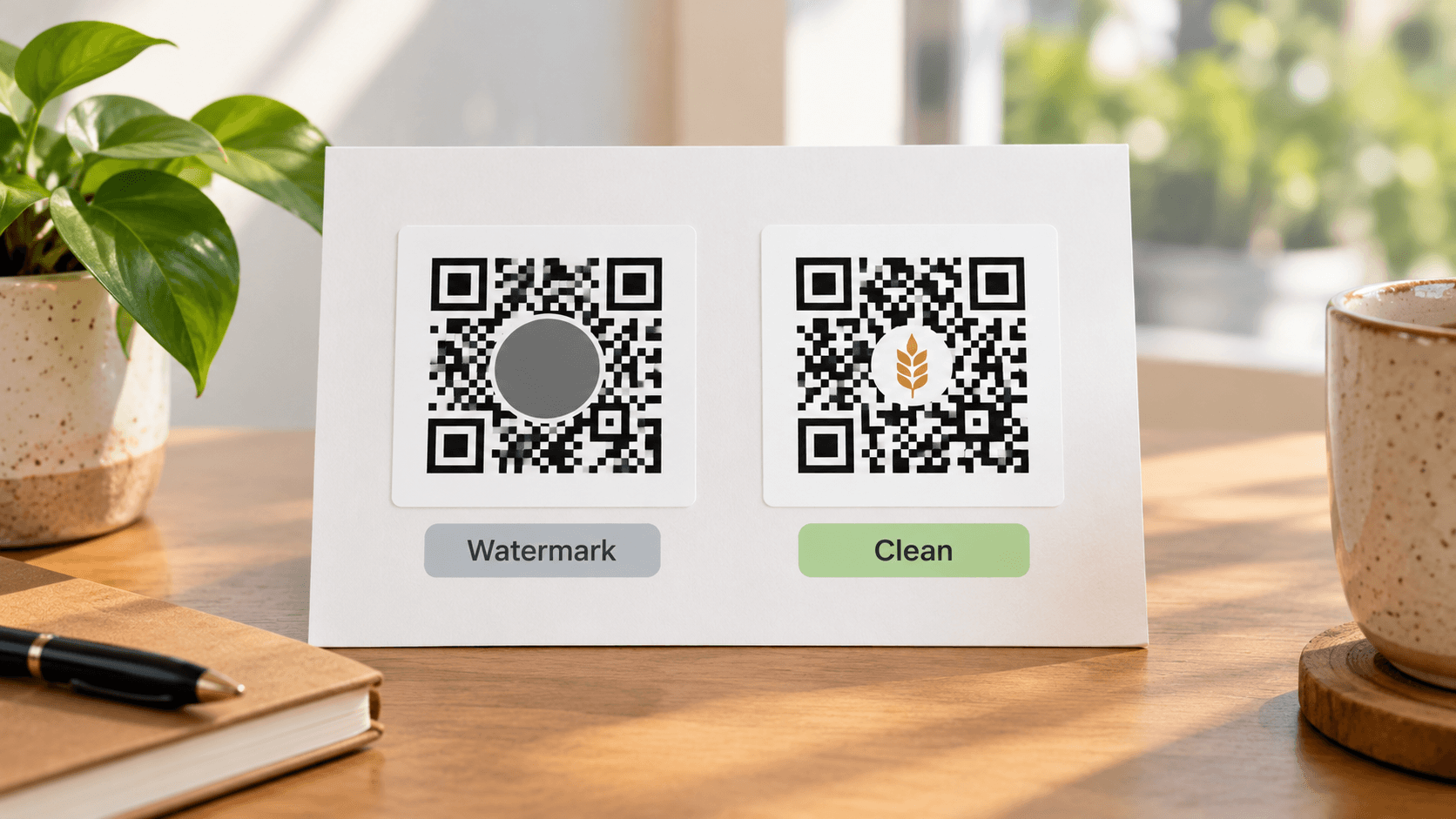
On a wedding card it looks like Canva sponsored the marriage. On a shop tent it looks like you could not afford a code. Error correction will often still scan. That is not the point. The guest reads the centre first.
Canva static avoids this. Use it when the URL is final. If you need editable, generate dynamic somewhere that lets you put your own small mark — or no mark — on a light plate. Logo physics: custom QR with logo.
The workflow that does not fight Canva
Keep Canva. Stop asking it to be a QR platform.
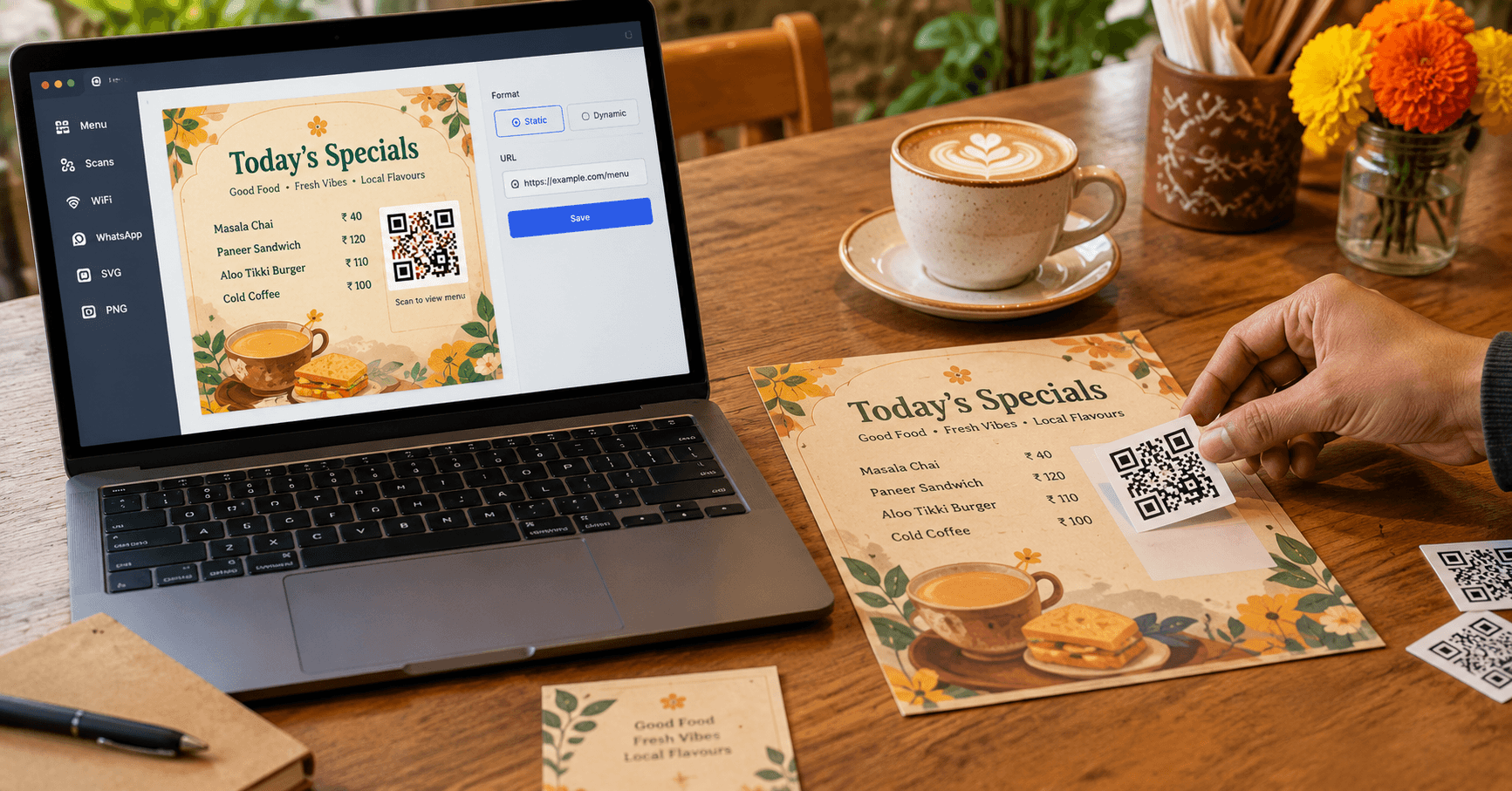
- Step 1: Finish copy and layout in Canva. Leave a white square plus quiet zone.
- Step 2: Generate the payload on QR Junction — static on /qr if the link is frozen, account if you need to track scans or edit later.
- Step 3: Download SVG. Place it at 100% size. Do not stretch. Do not flatten to a 400 px PNG and then blow it up for an A3.
- Step 4: Export the Canva page PDF/PNG at print size. Scan a paper proof, not only the laptop.
When Canva alone is enough
A one-page Instagram-to-print story whose URL will not move. A classroom worksheet. A birthday video link on a card you will never reprint. Static Canva QR, dark modules on light, no tiny size. That is a legitimate Canva QR code generator use. It is not how you run a restaurant.
Canva for the page. Generator for the square.
If the search was “Canva QR code generator”, the honest answer is: use Canva static for finished URLs inside artwork you already made. Use a dedicated generator the moment you need types, tracking, or a logo that is yours. Drop the SVG back into Canva. You did not leave the design tool. You stopped asking it to encode WiFi.
Frequently asked questions
Does Canva have a QR code generator?
Yes. Two of them: a static URL tool with no Canva logo, and a dynamic app that can edit the link later. The dynamic one watermarks Free and Pro with Canva’s logo.
Does a Canva QR code track scans?
Static: no. Dynamic Insights: Business, Enterprise, or Nonprofit, according to Canva’s help centre as of late 2026. Free and Pro do not get a real scan dashboard.
Can I make a WiFi QR code in Canva?
Not as a native WIFI: payload. You can encode a URL that shows the password. Guests still have to type. Use a WiFi QR generator and place the SVG in Canva.
How do I remove the Canva logo from a QR code?
Use the static tool, or upgrade to a Canva plan that allows your own logo on dynamic codes (Business+). Or generate the code outside Canva.
Is Canva better than a dedicated QR code generator?
For layout, yes. For WiFi, WhatsApp, vCard, menus, and scan analytics on a shop budget, no. Use both: Canva for the flyer, SVG from a generator for the square.
Do Canva QR codes expire?
Static codes do not. Dynamic codes depend on Canva remaining up and on plan rules (optional expiry on higher tiers). A dedicated static SVG does not depend on Canva at all.
Related guides
Best Free QR Code Generator in 2026 (What Stays Free After You Print)
A free PNG is easy. A free code that still opens on bag number 201 is the actual test. We checked vendor pages on 26 Oct 2026 and scored tools on that, not on how pretty the homepage is.
How to Create a Custom QR Code with Your Logo (That Still Scans)
A logo in the middle is fine. Covering a finder square, going light-grey on cream, or quoting “30% logo coverage” as gospel is how print jobs bounce back.
QR Codes for Business Cards: The Complete Guide
The card is the handshake. The QR is the save-to-phone. Link it at something useful — vCard, LinkedIn, WhatsApp — and make it dynamic so a job change does not kill 200 prints.
Generate an SVG QR and drop it into Canva
Create custom vector patterns, integrate dynamic redirection endpoints, and view details.