
What Is an Editable QR Code and How Does It Work
An editable QR code is not a PNG you open in Photoshop. It is a changeable QR code link. The paper stays. The destination moves.

QR Junction Team
We build QR tools that restaurants actually print and use.
A designer in Secunderabad printed 200 visiting cards the week she joined. The QR on the back opened her old freelance LinkedIn and a WhatsApp that she no longer used. Three months later she moved teams. The printer quoted another ₹2,400 for a reprint. The cards in other people’s wallets were already wrong. That is the search “editable QR code” is trying to prevent.
People do not want a new black-and-white picture. They want a changeable QR code link: keep the print, swap where the phone goes. If you came here for the technology split, use dynamic QR code vs static. This page is the definition and the failure modes.
What is an editable QR code?
An editable QR code is a printed square that stores a short redirect you control, not the final website. After the scan, the phone hits that short link, then we send it to the live destination. You change the destination in a dashboard. You do not generate a new image. You do not reprint the card.
That is the whole product. The modules on paper are frozen. The link behind them is not. Marketing pages call this an editable QR code. Engineers call it a dynamic QR. Same machine.
How an editable QR code works
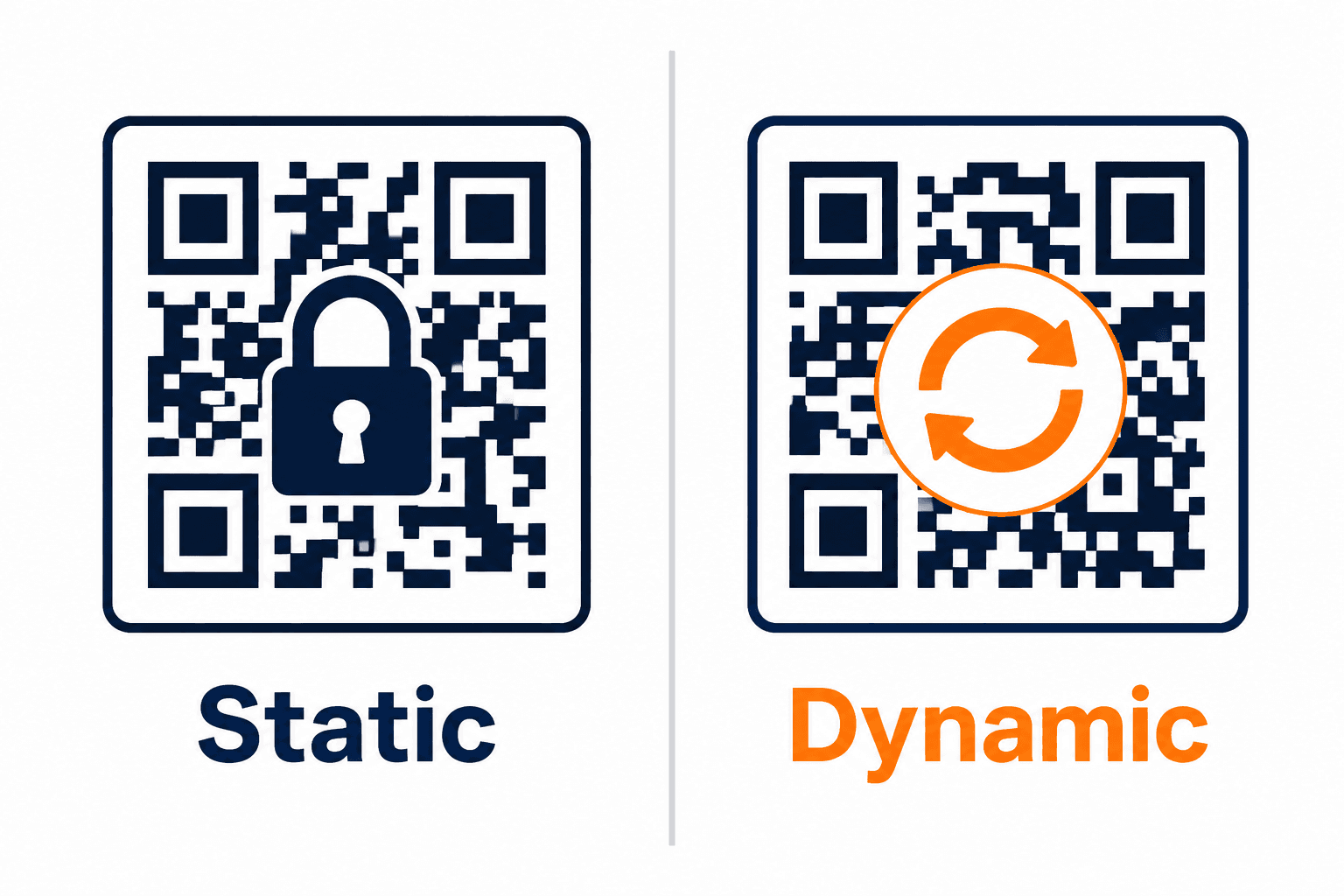
The pattern encodes something like a short path on our domain. The phone needs internet for that hop. Then it opens LinkedIn, a menu, a form, or whatever you pointed at today.
When you edit, you are not rewriting pixels. You are changing one row in a redirect table. Tomorrow’s scan follows the new row. Yesterday’s print is still valid. If you expected to open the PNG in Canva and “type a new URL into the dots,” that is not how QR codes work. The dots are the data. You would be drawing a different code.
Changeable QR code link
A changeable QR code link is the thing you actually wanted. One printed square. Many destinations over the life of the print.
Use it when the object will outlive the URL: visiting cards after a job change, festival posters whose offer page will 404 in November, a Google review link Google might rearrange, a menu that moves from a PDF to a live page. Create the code at register, print SVG, then edit the destination when life happens.
Do not confuse “changeable” with “I can restyle the dots later.” Colours and logo are a new file if the original was already printed. The redirect is what you can change without touching the paper.
What you cannot edit after you print
A static download from a no-account generator is frozen. The URL, Wi-Fi password, or vCard is baked into the modules. Opening that PNG later does not give you an editable QR code. You generate a new one and you replace the print.
A QRCode Monkey file is a static image. Monkey’s own “dynamic” path is a second product. If you already printed Monkey, you cannot “upgrade” those stickers into a changeable QR code link. You print a new square.
A Wi-Fi QR is a WIFI: payload, not a website. There is no redirect to edit. Change the password, generate a new code, reprint the tent. Same for a raw vCard encoded in the image instead of a URL to a contact page.
When not to use an editable QR code
Home Wi-Fi. The password rarely changes, guests need no internet before they join, and a dashboard is overhead. Use the Wi-Fi QR code generator and keep it static.
A personal site you will defend for ten years. A one-night classroom sheet. A label on a machine that must still scan if our website is down. Static is honest there. Editable is a redirect you have to keep paying attention to.
If the print run is 20 stickers you would happily reprint, static is also fine. Editable QR codes earn their keep when reprinting would hurt: cards, packaging, tents, outdoor boards.
Editable QR code vs dynamic QR code
They are the same redirect. “Editable QR code” is how people search when the job is “change later.” “Dynamic QR code vs static” is how people search when they want the comparison table. We keep those as two URLs so Google is not asked to rank one page for both jobs.
Dynamic also gives you scan tracking. Editable is the destination swap. You get both because they are one short link. You do not get tracking on a static PNG, and you do not get an editable QR code without a platform that owns the redirect.
How to create an editable QR code on QR Junction
Register. Create a dynamic QR. Point it at today’s URL. Download SVG. Scan-test. Print. When the job title, menu, or campaign changes, open the dashboard and change the link. That is the flow. We do not pretend a static file from /qr will grow an edit button later.
Static generation stays free with no signup. Editable destinations and scan counts need an account. Details on free vs paid if the reprint math is the actual question.
Frequently asked questions
What is an editable QR code?
An editable QR code is a dynamic short link printed as a square. You change the destination after print without generating a new image. The paper stays. The changeable QR code link moves.
Can I edit a QR code after printing?
Only if it was created as a dynamic / editable QR. A static PNG cannot be edited. You would generate a new code and replace the print.
Is an editable QR code the same as a dynamic QR code?
Yes. Same redirect. “Editable” is the job (change later). “Dynamic vs static” is the comparison. See dynamic QR code vs static.
Can I edit a QRCode Monkey file?
No. A Monkey download is a static image. You cannot turn those stickers into a changeable QR code link. Print a new dynamic square if you need edits.
Should my home Wi-Fi QR be editable?
No. Use a static Wi-Fi QR. There is no website to redirect, and guests should not depend on our servers to join the network.
Does a changeable QR code link need internet?
Yes. The phone hits the short link first. Static Wi-Fi and static vCard payloads can work offline because the data is in the image.
Related guides
Dynamic QR Code vs Static: Which One Do You Actually Need?
They look identical on paper. One dies when the URL changes. The other you can edit — and count. Pick before you print 500 flyers.
QR Code Scan Tracking: How to Track QR Code Scans (And Stop Guessing Which Poster Worked)
If the code encodes the website itself, Google Analytics will call every scan Direct. Tracking only exists when the square hits a short link you control first.
Free vs Paid QR Code Generator (The Reprint Is the Bill)
Free is correct for a WiFi password. Paid is cheaper than reprinting 40 tents. This is cafe math, not another tool grid. Vendor limits checked 26 Oct 2026. For the technology split, use [static vs dynamic](/blog/static-vs-dynamic-qr-codes-which-one-do-you-actually-need) — we will not recap that table.
Create an editable QR code (changeable link)
Create custom vector patterns, integrate dynamic redirection endpoints, and view details.