
How to Make a WiFi QR Code So Guests Connect Without Asking
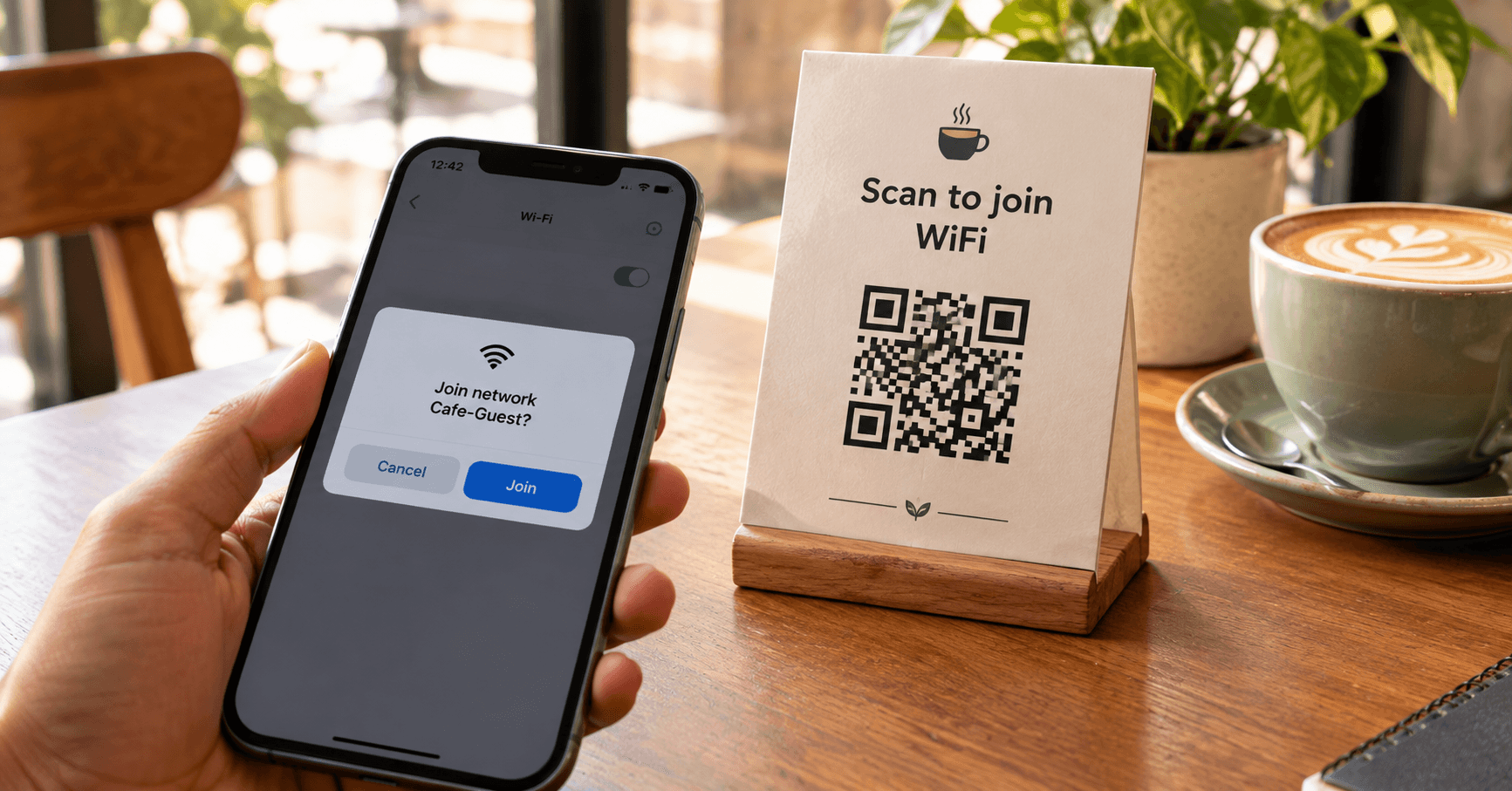
The password is inside the square. Their phone asks “Join Cafe-Guest?” and you stop spelling WPA keys across the counter.

QR Junction Team
We build QR tools that restaurants actually print and use.
Every salon, clinic waiting room, and cafe hears the same sentence: “What’s the WiFi?” Then someone shouts a password with three capital letters and a hash, and a guest types it wrong twice. A WiFi QR code ends that conversation. Scan, join, done.
You do not need an app to make one. You do need the real network name, the real password, and a print that cameras can see. Use the WiFi QR code generator if you want that in the browser in under a minute.
What a WiFi QR code stores
It is not a link to a website. The pattern holds a small text recipe phones already understand:
WIFI:T:WPA;S:YourNetworkName;P:YourPassword;H:false;;T is the security type (WPA, WEP, or nopass). S is the SSID. P is the password. H is whether the network is hidden. After a scan, iOS and Android show a system prompt to join. They do not need WhatsApp, they do not need your website, and they do not need a QR scanner app.
That also means anyone who photographs the printed square has the password. Treat a WiFi QR like a Post-it on the fridge, just tidier.
How to make a WiFi QR code, field by field
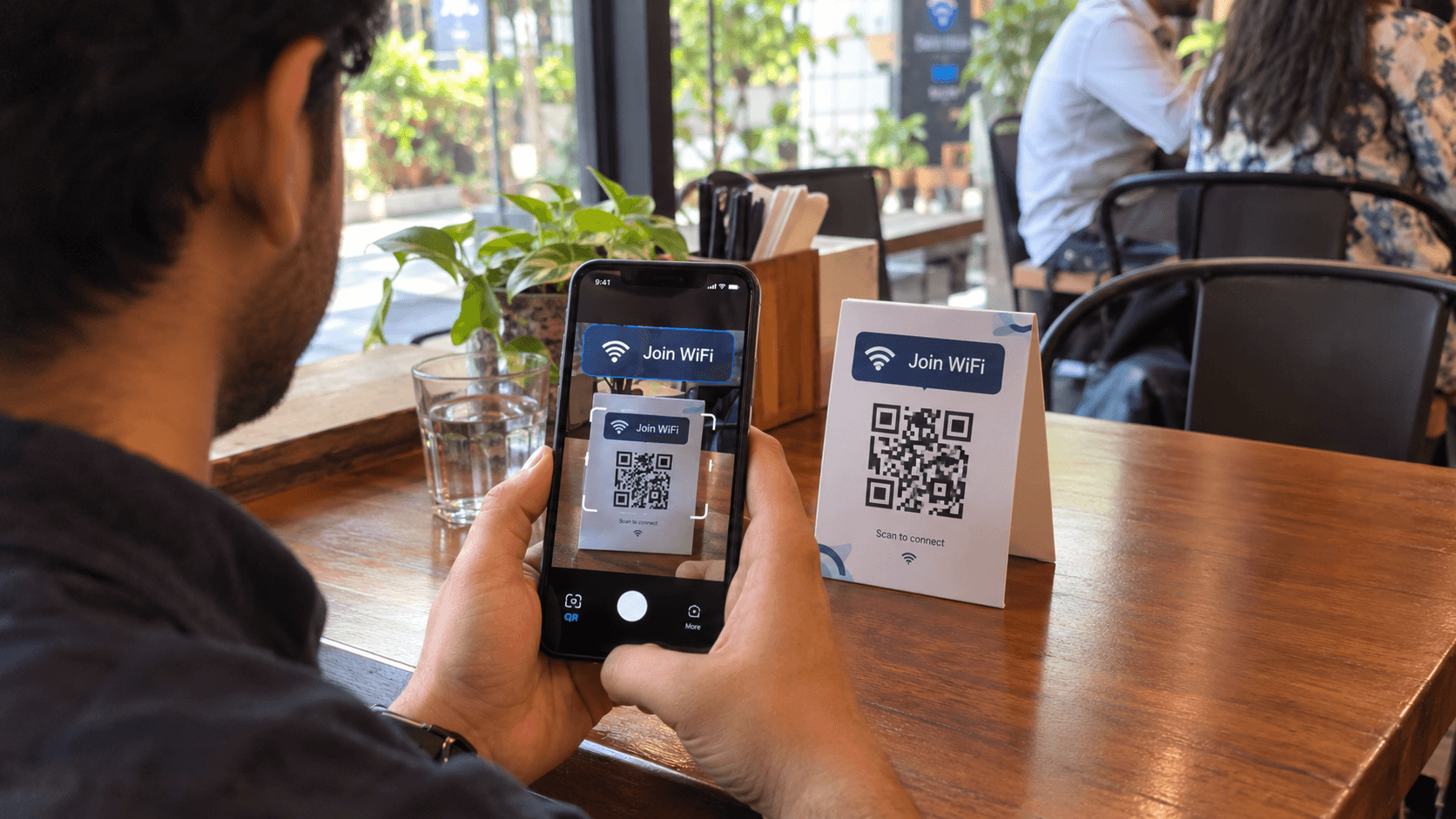
Open the generator and pick the WiFi tab. Do not paste a URL. URLs open browsers. WiFi codes open the join sheet.
- Step 1: Type the SSID exactly — Cafe_Guest is not Cafe-Guest. Check the router sticker or a phone that is already connected.
- Step 2: Paste the password — no extra space at the end. If you rotated the key last week, use the new one.
- Step 3: Set security to WPA/WPA2 — that covers WPA2 and, on most phones, WPA3 mixed networks. Pick WEP only if the router is from another decade. Pick nopass only for an open network you actually want open.
- Step 4: Tick hidden if the SSID does not broadcast — otherwise the phone will look for a name it cannot see.
- Step 5: Download PNG for a table tent file you will print today, SVG if a designer is putting it on a menu card — then scan it from the printed size, not only from the laptop screen.
iPhone vs Android when you scan

iPhone: Camera app, hold still, tap the banner that offers to join the network. Older iOS versions were picky; current ones handle standard WIFI: payloads.
Android: Camera or Google Lens, same banner. Some skins need WiFi scanning enabled in settings. If nothing happens, the payload is wrong or the phone is already on a different network and ignoring the prompt — toggle WiFi off and on and scan again.
A laptop webcam will not join WiFi from a QR. Neither will a desktop. This is a phone feature.
When static is enough, and when it is not
Home, a single office guest network, a password you change once a year: static is fine. The password lives in the image. No server. No expiry. That is the honest use of a static WiFi QR code.
A cafe that also wants a “leave your email for the code” gate should use a dynamic WiFi flow. QR Junction can send scans to a small page that shows the network details and, if you want, a lead form. That is a different product from encoding WIFI: in the squares. Use it when the password changes often or you care about scan counts.
Do not encode a password you would not shout in a queue, then stick the square on a street-facing window. Inside the shop, on the table, is the usual place.
Where a WiFi QR code belongs
Put it where people already have their phones out and want the network: tables, the waiting-room side table, the Airbnb nightstand, the reception clip. Write “Scan to join WiFi” so it is not mistaken for a payment code. Mixing UPI and WiFi on one standee is how someone pays the wrong person.
- Cafe / restaurant — table tent, 4 cm+, away from the menu QR so jobs stay separate.
- Salon or clinic — counter and each bay. Repeat guests will still ask once, then never again.
- Office visitor network — reception, not the all-hands Slack. Use a guest SSID, not the corporate one.
- Homestay — card next to the kettle. Static code. Change it when you change the key.
Security, without the panic
A WiFi QR is as secret as the paper it is printed on. Staff Instagram stories that zoom on the tent leak the key. If that bothers you, use a guest VLAN and rotate the password when someone leaves.
The code cannot “hack the phone.” It offers a network. The guest still taps Join. For the broader scare stories, read are QR codes safe.
If you add a logo, keep contrast high and error correction on H. Same rules as any custom QR with a logo.
Spell the SSID once, on paper that scans
Copy the name. Copy the password. Generate the WiFi QR code. Print one copy. Join from a phone that is not already on that network. Then print the rest.
You will still get asked “what’s the WiFi?” by people who refuse to look down. Point at the tent. That is progress.
Frequently asked questions
Does a WiFi QR code work on iPhone?
Yes. Open Camera, point at the code, tap the join banner. You do not need the WhatsApp QR scanner or a third-party app.
Will it work if my network is hidden?
Yes if you mark the network as hidden when you generate the code. If you leave that off, the phone looks for a broadcast SSID it will never see.
Should I choose WPA2 or WPA3?
Most generators label it WPA/WPA2, which is correct for typical routers. WPA3-only networks can be fussy on older phones. If scans fail, confirm the router’s actual mode.
Can I change the WiFi password without reprinting?
Not with a static WiFi QR — the password is inside the image. Reprint, or use a dynamic page that shows the current details. Static is still the right default for a stable guest network.
Is it safe to print a WiFi QR in a cafe?
It is as safe as writing the password on a chalkboard, which cafes already do. Use a guest network. Do not publish the office LAN.
Why does the code scan but the phone will not join?
SSID mismatch, extra space in the password, wrong security type, or the phone is ignoring the prompt because it is already connected elsewhere. Recopy the values from a device that is online.
Related guides
How to Create a Custom QR Code with Your Logo (That Still Scans)
A logo in the middle is fine. Covering a finder square, going light-grey on cream, or quoting “30% logo coverage” as gospel is how print jobs bounce back.
How to Create a QR Code Menu for Your Restaurant (Without Reprinting Every Week)
A QR code menu is not a photo of your laminated card. It is a live page on a phone, tied to a printed square that you can keep using after the dal makhani price changes.
Are QR Codes Safe? Common Myths, Quishing, and Real Facts
The square is not malware. The website can be. Quishing is just phishing that arrived through a camera instead of an email.
Make a WiFi QR code
Create custom vector patterns, integrate dynamic redirection endpoints, and view details.